
A free tube channel
Glow
Warm tube saturation and tone that is hard to make sound bad.
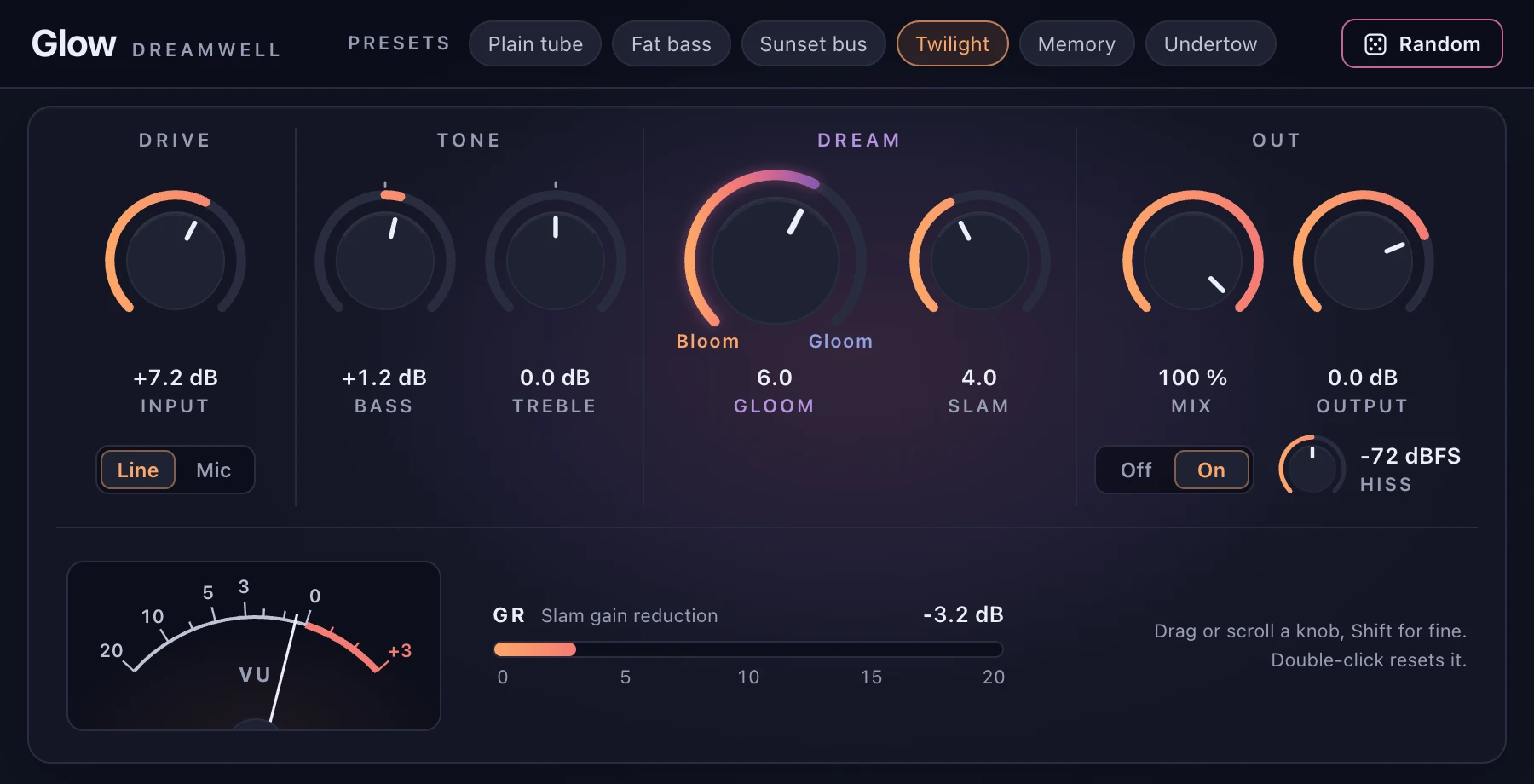
What it does
Glow is saturation and tone, nothing else. A transformer and two tube stages, oversampled 4x, with a few knobs that each do one clear thing.
-
Input changes colour, not loudness
Turn Input up and the tube works harder, from near clean to thick. Glow levels it back, so you hear the colour change, not a volume jump.
-
Gloom
One knob for the character of the saturation, from warm and open to dense and dark. Loudness stays steady as you turn it.
-
Slam
A compressor that pushes the second tube. Turn it up for a squeezed, driven sound. At 0 it does nothing at all.
-
Bass and Treble
Two shelves, at 100 Hz and 7 kHz, up to 12 dB either way.
-
Hard to make sound bad
Every knob position is meant to be usable, and the output never goes past 0 dBFS. Six presets, and a Random button that stays musical.
-
No reverb, no tail
No reverb and no modulation. When the sound stops, Glow stops.
One knob from Bloom to Gloom
Gloom moves the saturation between two characters. Every point in between is usable.
Bloom
Warm, even harmonics and an open top.
Gloom
Harder, odd harmonics and a soft top.
Specs
- Price
- Free
- Formats
- AU and VST3 for macOS. Coming soon
- Channels
- Mono or stereo in, stereo out
- Controls
- Input, Line / Mic, Bass, Treble, Gloom, Slam, Mix, Output, Hiss
- Latency
- A few samples, reported to your DAW